
One-Step Automated Install
Those who want to get started quickly and conveniently may install the prerequisites using the following command:
curl -fsSL https://arks-layer.com/linux/configure.sh | bash
This will, by default, create a folder in your home directory called "pso2_files".
If you wish to change where it defaults to, pass the env PSO2_FILES_LOCATION to the script.
Note: This is not your pso2 installation folder. This folder is where the tweaker will be located in.
Do not put the tweaker in the same folder as your install.
curl -fsSL https://arks-layer.com/linux/configure.sh | env PSO2_FILES_LOCATION="/custom/path" bash
From there, you can skip directly to the Configuring Heroic section of our guide.
Prerequisites & Setup
Flatpak Installation
Ensure that you have Flatpak installed on your distro. We will be using the app "Heroic",
which is only found on the Flathub App Store.
You can install Flatpak by using the instructions for your distro by following this link:
https://flatpak.org/setup/.
Setup Heroic Games Launcher
With Flatpak installed, we will now install Heroic Games Launcher in Terminal with this command.
flatpak install com.heroicgameslauncher.hgl
Install uv
Now we'll need to install uv. First visit https://docs.astral.sh/uv/getting-started/installation/ and follow their installation guide. Once that's done, proceed to the next step.
Downloading pso2tricks.py
Download pso2tricks.py from here.
You can view the source here: https://github.com/SynthSy/pso2tricks.py.
Place pso2tricks.py in a folder of your choosing. For the sake of this guide, I'll assume you placed it in ~/pso2_files.
In the same folder you put pso2tricks.py in, open a terminal instance and run the following command:
uv run --no-project pso2tricks.py --tweaker
This will download the PSO2 Tweaker inside the pso2_files folder.
Configuring Heroic
Launch Heroic, if it's your first time opening it, you'll receive a changelog and a tracking consent pop-up.
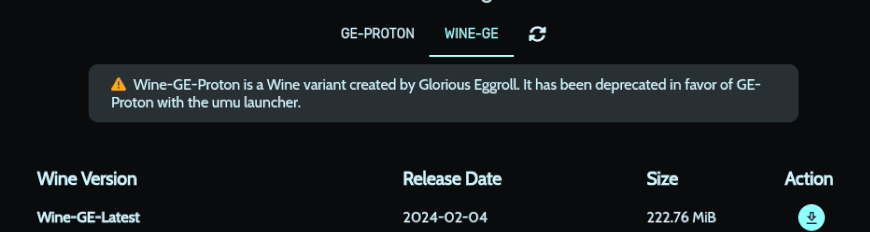
On the left, click on Wine Manager, then from the top, click on GE-Proton and download GE-Proton-Latest.
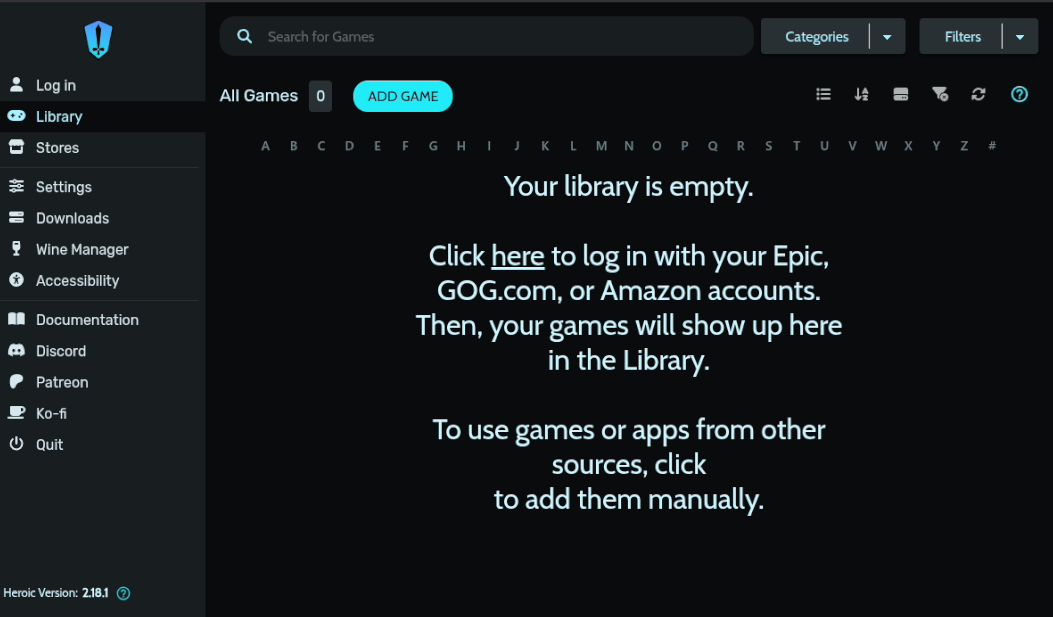
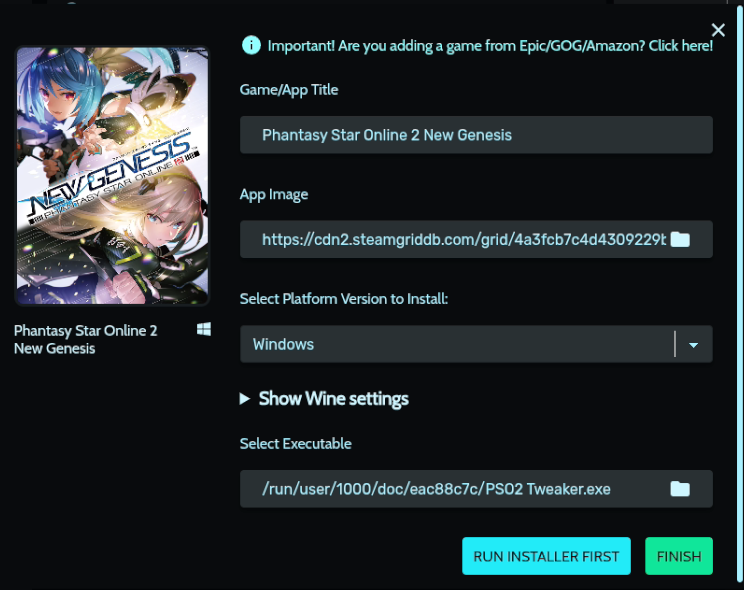
From the left, click on Library, then click on the button labelled "ADD GAME". You'll receive a new window asking for the title, app image, platform, etc.
Where it says "Title", replace it with Phantasy Star Online 2 New Genesis, ensure the platform is on "Windows".
Heroic should then generate box art and a banner, then scroll down to "Select Executable" and click on the folder icon next to it. Search for the PSO2 Tweaker inside of the
pso2_files folder inside of your home folder, select it and press the choose button.
Expand the option Show Wine Settings,
Where it says Wine Version, in the dropdown select Proton - GE-Proton-Latest.
Now click on the green Finish button.
Click on the settings icon  .
Scroll down to the bottom and click on the button labelled
.
Scroll down to the bottom and click on the button labelled WINECFG. On the bottom, where it says Windows version,
select Windows 10, then click OK.
Now click on the button that says WINETRICKS.
In the search bar, type in dotnet48 and click on the install button next to it.
Depending on your cpu and internet speed, it will take some time to complete.
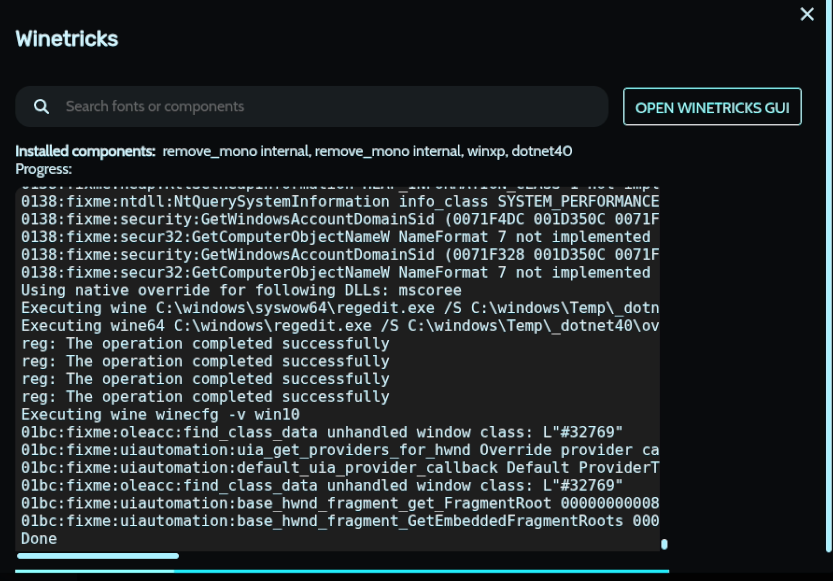
Once this is finished, close the window and then scroll back to the top and click on the menu option called OTHER.
Uncheck BattlEye AntiCheat Runtime and EasyAntiCheat Runtime.
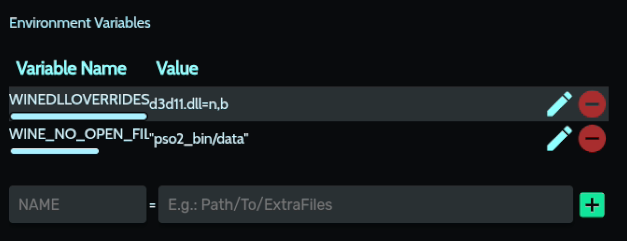
Click on ADVANCED, then scroll down to the section labelled Environmental Variables.
On the box where it says NAME, enter WINEDLLOVERRIDES, and in Value, enter
d3d11.dll=n,b, then press the green + button.
Now, we'll be adding in another variable. This time, for NAME, enter WINE_NO_OPEN_FILE_SEARCH.
Then for Value, enter "pso2_bin/data", then press the green + button. You may now close this window.
PSO2 Tweaker
With Heroic fully setup & installed, we can move on to downloading PSO2/NGS JP.
You may proceed to follow the Tweaker Installation guide
until after PSO2:NGS is installed, then check back on this page.
If the text in the log window is unreadable, replace the Tweaker's theme.json file located in
$HOME/Games/Heroic/Prefixes/default/Phantasy Star Online 2 New Geneis/drive_c/users/username/AppData/Roaming/PSO2 Tweaker/Theme
with this file, then relaunch the Tweaker.
$HOME/Games//Heroic/Prefixes/default/Phantasy Star Online 2 New Geneis.
Installing the English Fan Patch
If for whatever reason the English fan patch does not install, you may try installing them via pso2tricks.py.
Enter the following command:
uv --no-project pso2tricks.py --patcher ngs|both /path/to/pso2_bin
You must specify whether you want the NGS only patch or if you have both NGS and PSO2 installed, and you must specify the folder where the pso2_bin folder is located at.
Example: uv --no-project pso2tricks.py --patcher ngs Z:/phantasystaronline2_jp/pso2_bin
This will download a pre-compiled patcher from
https://github.com/HybridEidolon/pso2-modpatcher
as well as the latest English fan patches into ~/pso2_files. Then proceeds to patch your installation.
If you wish to compile your own patcher, get rust from this page, visit the above GitHub page and follow the cargo-install page on compiling from git.
As of this time, we do not support installing other language patches or externally compiled patches using pso2tricks.py.
If you have any issues, message us on Discord.